Who We Are
We are the Bay Area hub of Sunrise Movement. Sunrise is a youth-led movement to stop climate change and create millions of good jobs in the process. We're building a movement of young people to make climate change an urgent priority across America, end the corrupting influence of fossil fuel executives on our politics, and elect leaders who stand up for the health and wellbeing of all people. We work to pass Green New Deal legislation at the local, state, and federal level that addresses climate change while ensuring that communities on the front lines of this crisis, including fossil fuel workers, are not left behind.
What We Do
We’re making the climate crisis a decisive issue in the 2020 election by mobilizing millions, turning up the heat, and forcing the media to tell our story: our future is at stake, and we demand a real plan for addressing the climate crisis. As a local hub, Sunrise Bay Area is one of many in-person communities across this country making this movement real. We organize nonviolent direct actions, pressure local politicians, knock doors to get out the vote, make art, host trainings, and have a lot of fun! Check out our events to see how you can get involved in building a livable future for the Bay Area.
Hub Structure
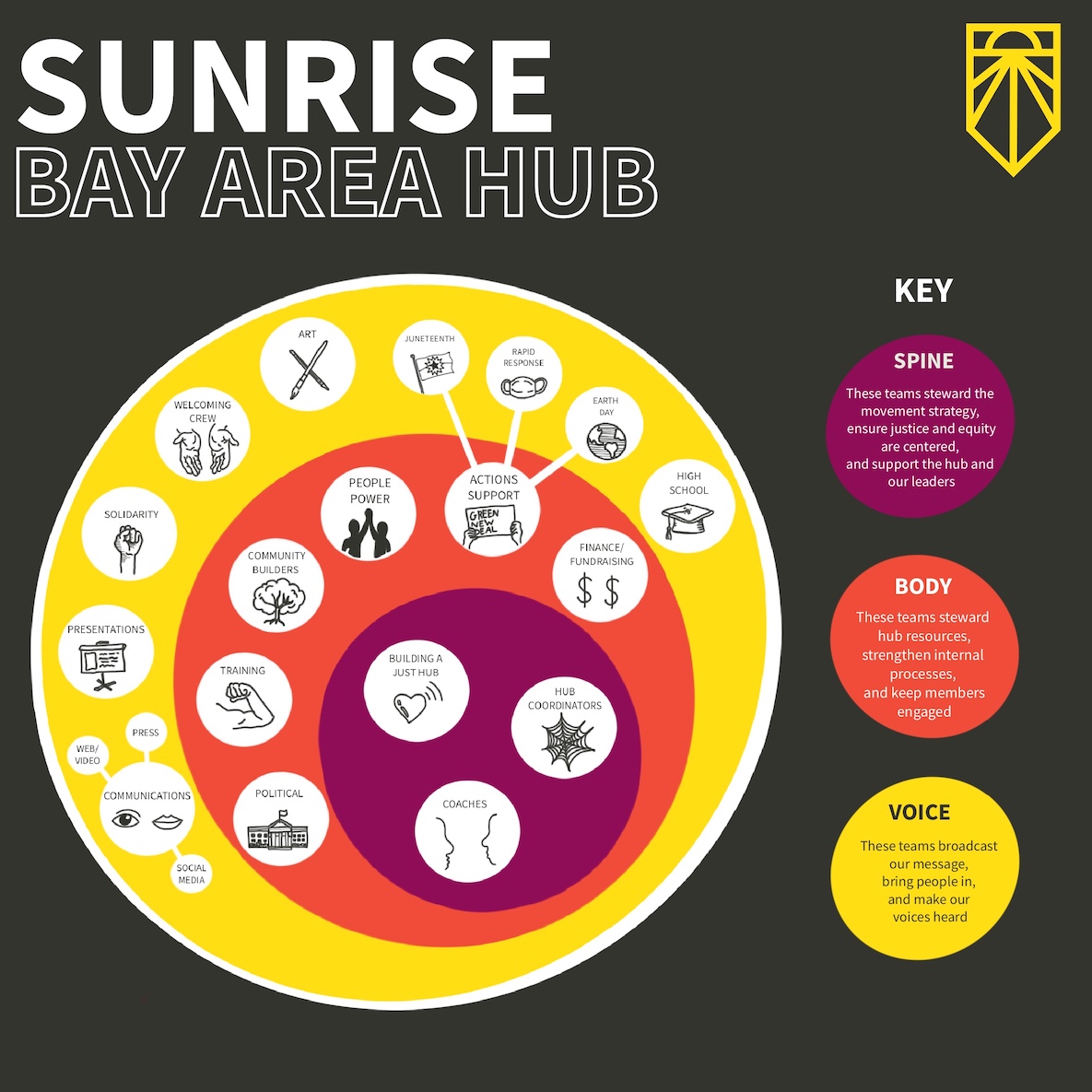
The Sunrise Bay Area Hub has an organizational model that relies on the participation of our members (whether you can give 5 mins a week or 40 hours) to succeed. We also rely on mentoring members into holding leadership roles and providing them with the skills and tools to become effective organizers. When everybody actively plugs in and gives what they can, our movement thrives, and we are able to grow our numbers, power, and influence. Fostering and sustaining our community in this way helps us achieve our goals of electing leaders who stand up for climate justice and the health and wellbeing of all people.
Support Our Movement
Join our mailing list to hear about upcoming actions, trainings, and open meetings. And support our work by making a donation. Contributions like yours make what we do possible.
Contact Us
For general inquries about Sunrise Bay Area, feel free to send us an email at bayarea@sunrisemovement.org. If you'd like a Sunrise presentation for your organization, please fill out the request form linked below, and we'll get back to you as soon as possible.